Control Your Roku TV from Your Android Phone

Lost your Roku remote? No problem. Roku TV Remote Control is a free, fast, and easy-to-use app that lets you control your Roku TV directly from your Android device.

Roku TV Remote Control icon
Roku TV Remote Control
Control your Roku TV from your Android phone
Get it on Google Play

✓ Free to download and use ✓ Works with all Roku models ✓ No ads on remote tab

Why Choose Roku TV Remote Control?

📱

Works Without Physical Remote

Control your Roku TV even if your physical remote is lost or broken. Just connect to the same WiFi network.

Fast & Responsive

Instant response with low latency. Enjoy smooth control of your Roku TV streaming experience.

🎮

Easy to Use

Simple, intuitive interface designed for everyone. Connect to your Roku TV with just one tap.

🔒

Secure Connection

Your connection is secure and private. We don't collect any personal data from your Roku TV.

🎯

All Roku Models Supported

Works with Roku TV, Roku Stick, Roku Ultra, and all other Roku devices running Roku OS 5.0 and above.

💰

Use for Free

Download, install, and use completely free. No ads while controlling your Roku TV.

App Screenshots

See how easy it is to control your Roku TV

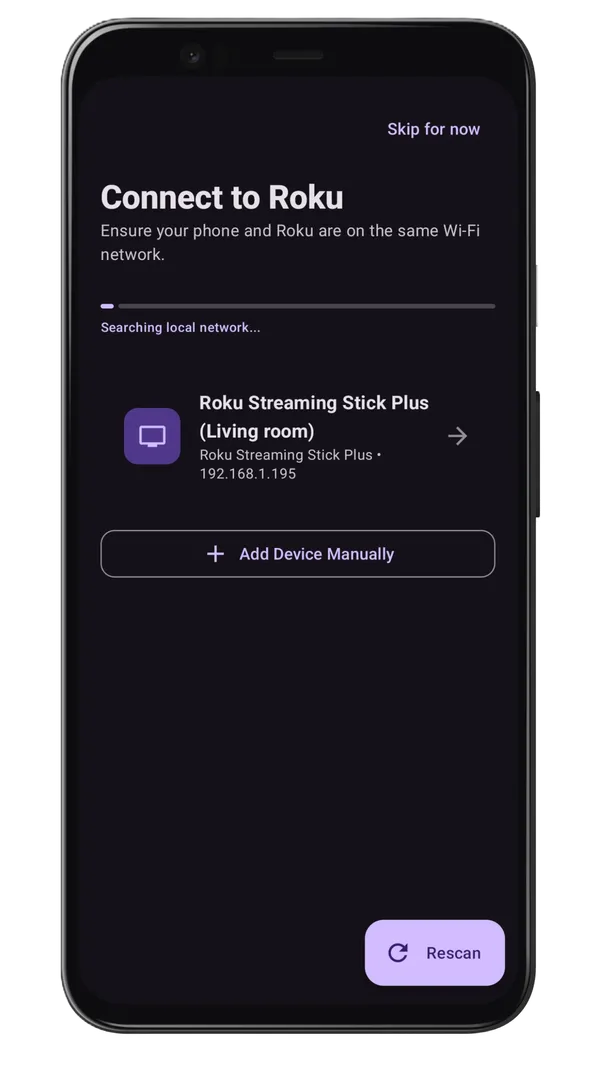
Roku TV Remote Control App Home Screen - Device Discovery

Find Your Roku TV

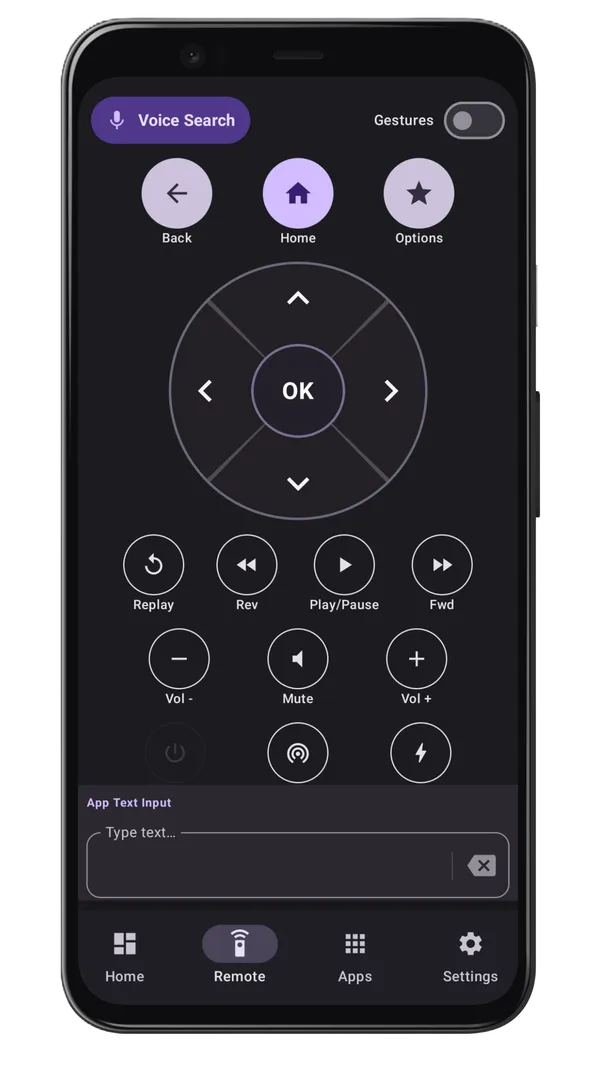
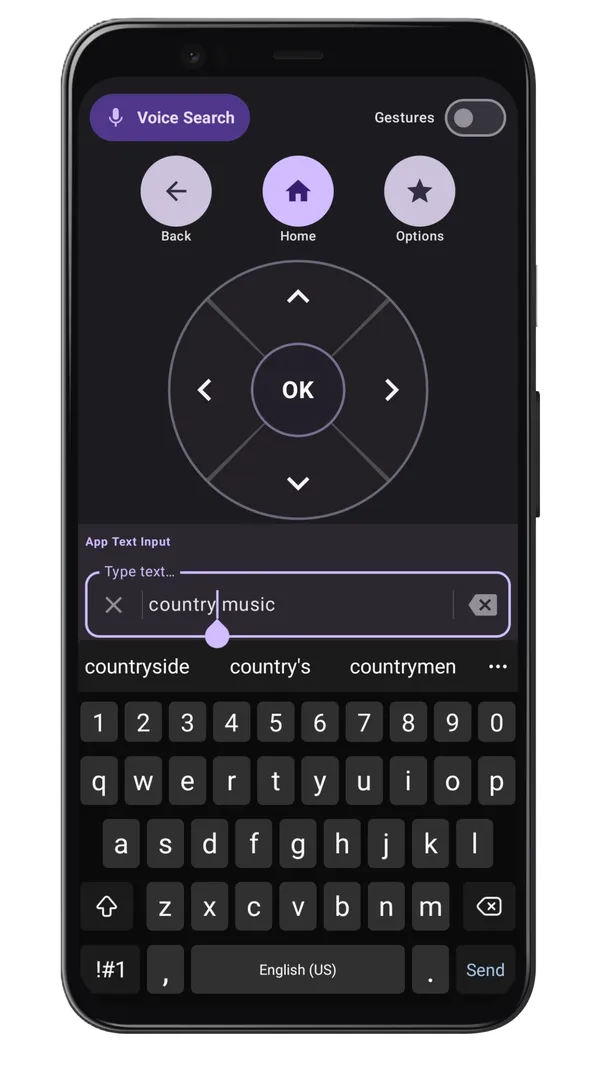
Roku TV Remote Control App Remote Control Interface - Navigation and Control

Control Navigation

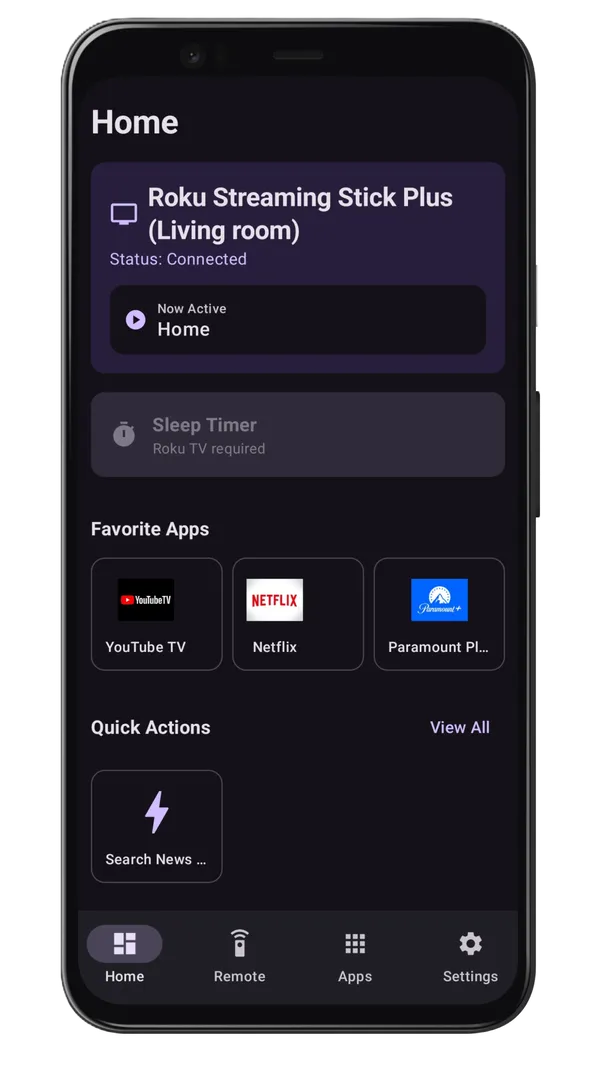
Roku TV Remote Control App Home tab - View Roku TV Status and Favorites

Status and Favorites

Roku TV Remote Control App Keyboard auto sync - Fast Text Input

Keyboard auto sync

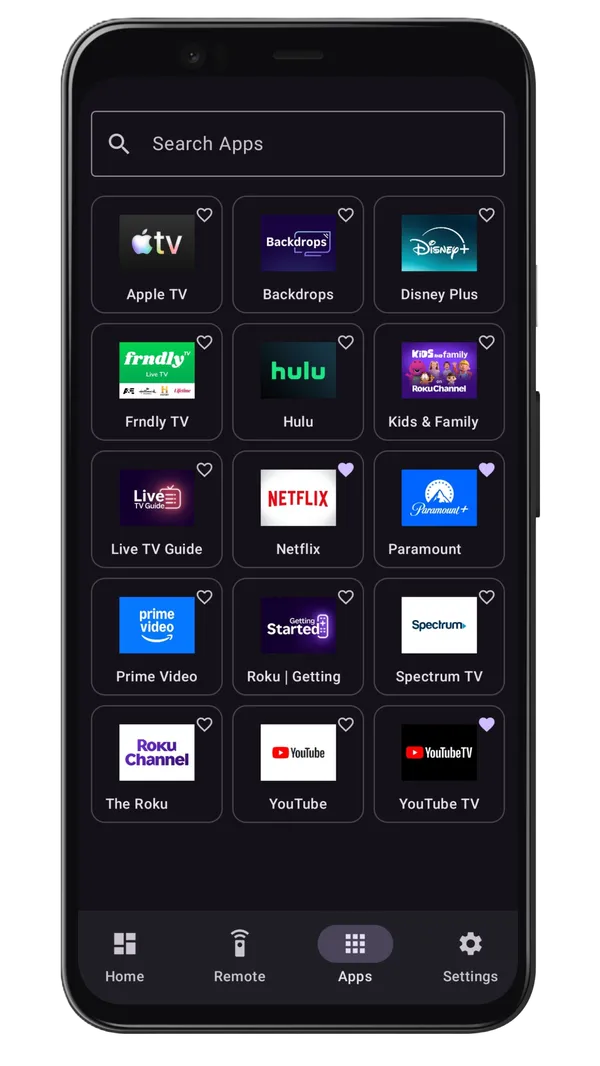
Roku TV Remote Control App shortcuts -Quick Access to Favorite Apps

App shortcuts

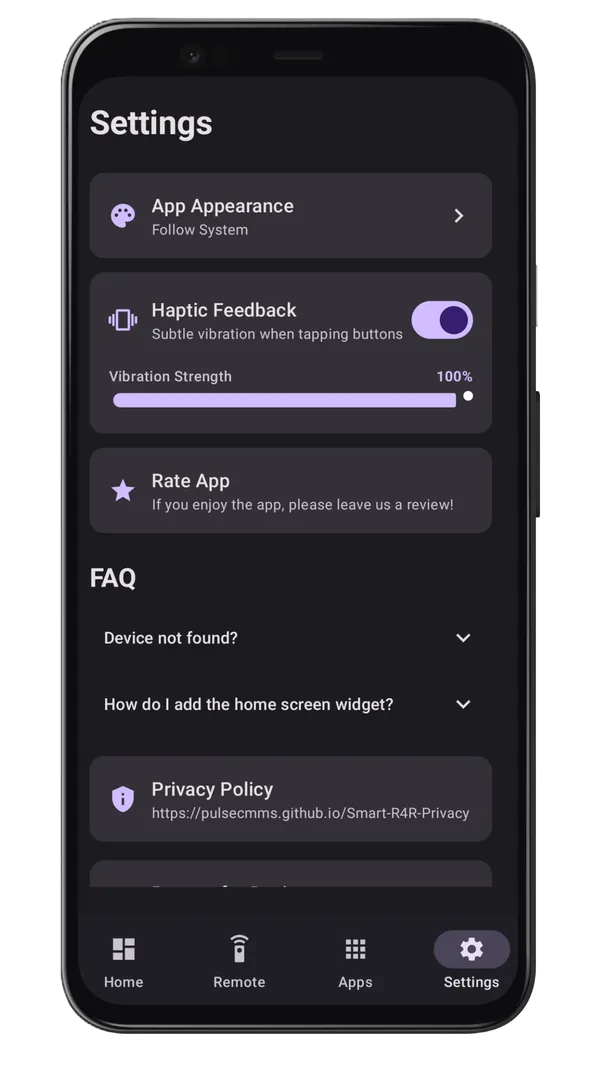
Roku TV Remote Control App Settings tab - Customize Your Experience

Settings tab

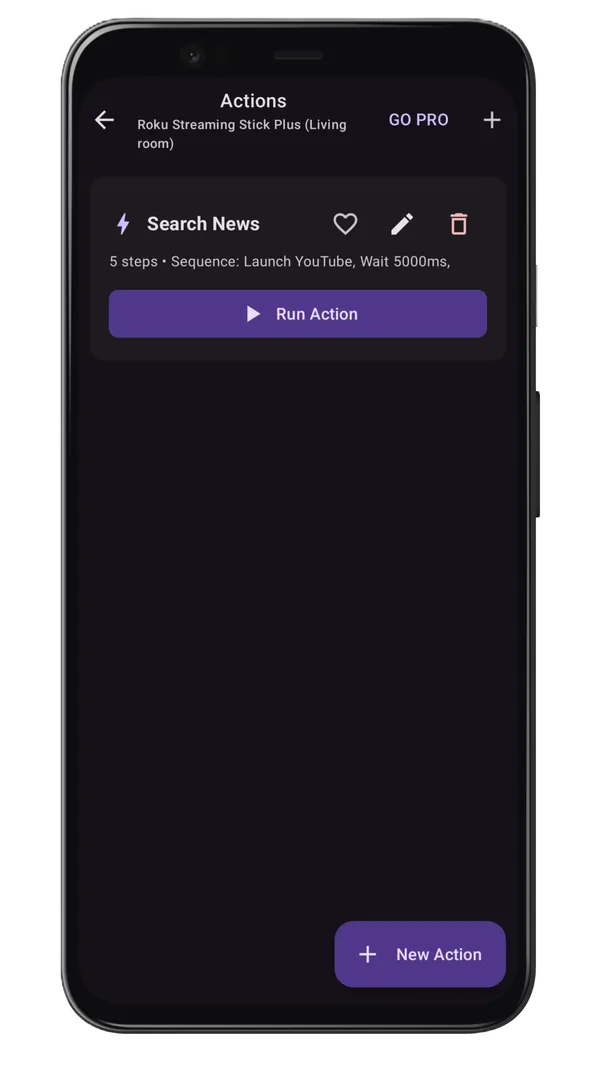
Roku TV Remote Control App Quick Action - Control Your Roku TV with One Tap

Quick Actions

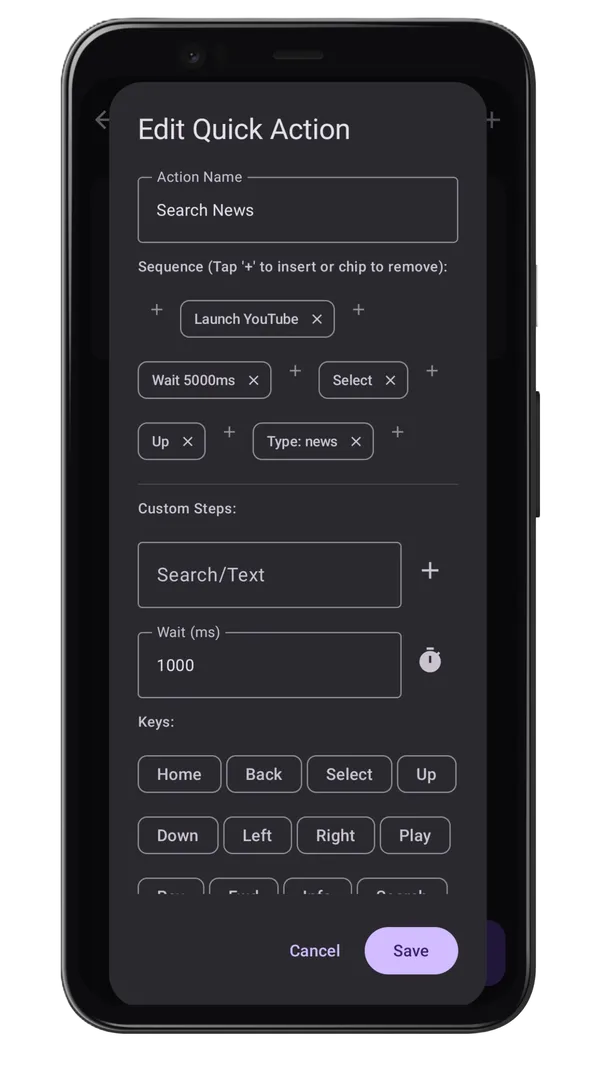
Roku TV Remote Control App Customize quick actions - Personalize Your Control

Customize Quick Actions

Lost Your Roku Remote? Get Instant Control

If your physical Roku remote is lost or not working, you can still control your Roku TV using your Android phone. Smart Roku Remote helps you reconnect quickly and continue streaming without frustration.

How to Get Started

  1. Download the Roku TV Remote Control app from Google Play Store
  2. Make sure your Android phone and Roku TV are on the same WiFi network
  3. Make sure 'Control by Mobile Apps' is set to 'Permissive' on your Roku TV (Settings> System> Advanced System Settings> Control by Mobile Apps)
  4. Open the app and it will automatically discover your Roku device
  5. Select your device and start controlling your TV
  6. Enjoy seamless Roku remote control from your phone

Common Issues Resolved

Roku TV Remote Control icon
Roku TV Remote Control
Control your Roku TV from your Android phone
Get it on Google Play

Frequently Asked Questions

Can I use this app without a physical remote?

Yes! That's the main benefit of Roku TV Remote Control. As long as your Roku TV is connected to the same WiFi network, you can control it completely using the app, even if your physical remote is lost or broken.

Does the app support Roku TV volume control?

Yes, supported Roku TVs can control volume directly from the app. You can adjust volume, navigate channels, launch apps, and perform all remote functions through the app.

Is this app free?

Yes, the app is completely free to download and use. We believe everyone should have access to an affordable Roku remote solution.

Which Roku devices are supported?

Roku TV Remote Control works with Roku TV, Roku Streaming Stick, Roku Ultra, Roku Express, and all other Roku devices running Roku OS 5.0 or higher.

Do I need to buy a physical remote if I use this app?

No, you don't need to buy an expensive physical remote. The app provides all the functionality you need to control your Roku device.

Is my connection secure?

Yes, your connection is secure and private. The app connects directly to your Roku device over your local WiFi network. We don't collect any personal data from your Roku TV or send any information to external servers.

Have more questions? Contact us or visit our full FAQ page.

Ready to Control Your Roku TV?

Download Roku TV Remote Control now and say goodbye to lost remotes forever

Roku TV Remote Control icon
Roku TV Remote Control
Control your Roku TV from your Android phone
Get it on Google Play