Roku Remote Not Working? Try These Easy Fixes First
Few things are more annoying than sitting down to watch TV and discovering your Roku remote suddenly stopped working.
Maybe:
- the buttons stopped responding
- the remote is blinking green
- the volume no longer works
- the Roku TV is not reacting at all
The good news is that many Roku remote issues can be fixed in just a few minutes.
This guide covers the most common Roku remote problems and how to solve them quickly.
1. Replace the Batteries
This sounds obvious, but weak batteries are one of the biggest causes of Roku remote problems.
Even if the remote still lights up, the batteries may not provide enough power for reliable communication.
Try:
- removing both batteries
- waiting 10 seconds
- inserting fresh batteries
Then test the remote again.
2. Restart Your Roku Device
Sometimes the Roku device itself freezes or temporarily loses connection with the remote.
To restart:
Roku TV
- Unplug the TV from power
- Wait 30 seconds
- Plug it back in
Roku Streaming Stick or Box
- Disconnect power
- Wait 30 seconds
- Reconnect power
Once Roku fully reboots, test the remote again.
3. Re-Pair the Roku Remote
Some Roku remotes use wireless pairing instead of infrared signals.
If pairing is lost, the remote may stop responding completely.
How to Re-Pair
Step 1
Open the battery cover.
Step 2
Press and hold the pairing button for about 5 seconds.
Step 3
Wait for the pairing light to start blinking.
Step 4
Keep the remote close to the Roku device while pairing completes.
After a few moments, Roku should reconnect automatically.
4. Check for WiFi Problems
Wireless Roku remotes depend on stable network communication.
Problems can happen if:
- your router restarted
- WiFi changed
- network interference exists
- your Roku disconnected from WiFi
Try restarting your router and reconnecting your Roku device.
5. Remove Objects Blocking the Signal
For infrared remotes, objects between the remote and TV can block signals.
Make sure:
- nothing blocks the front of the TV
- the remote sensor is clean
- you point directly at the Roku device
6. Test the Roku Mobile Remote App
One of the easiest ways to determine whether the issue is the remote or the Roku device is using a smartphone remote app.
If the app works:
- your Roku device is probably fine
- the physical remote likely has the issue
Many Android Roku remote apps allow you to:
- control navigation
- adjust volume
- type using your keyboard
- launch apps
- switch between Roku devices
This is also useful as a backup remote.
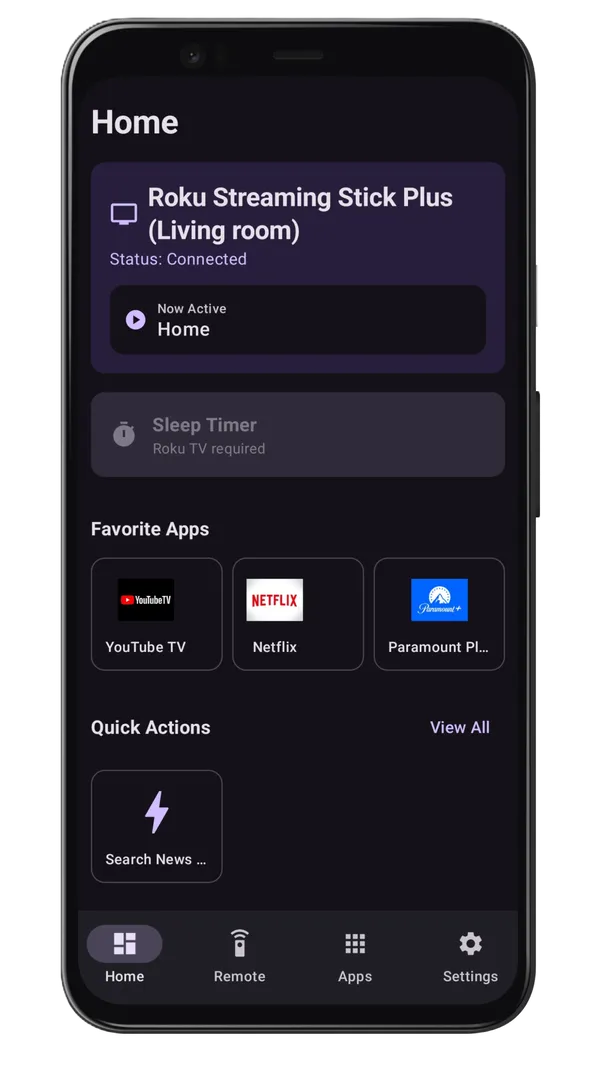
If you don't already have a working mobile remote app, consider installing our app, Roku TV Remote Control. It offers keyboard input, reliable device discovery, and a dedicated Remote tab that avoids auto-play ads during control — a convenient temporary or permanent solution when your physical remote isn't working.
7. Update Your Roku Software
Outdated Roku software can sometimes create pairing or connectivity issues.
To check for updates:
Go to:
- Settings → System → Software Update
Then:
- check for updates
- install available updates
- restart the device
8. Check Remote Compatibility
Not every Roku remote works with every Roku device.
Some remotes support:
- Roku TVs
- Roku Streaming Stick
- Roku Express
- Roku Ultra
Others may not.
If you recently bought a replacement remote, verify compatibility with your Roku model.
9. Factory Reset as a Last Resort
If nothing else works, a factory reset may solve deep software problems.
Warning: This removes settings and may require setup again.
To reset:
- locate the reset button on the Roku device
- hold it for about 10–15 seconds
Only use this if other fixes fail.
Why Many Users Keep a Remote App Installed
Even after fixing their physical remote, many Roku users continue using a smartphone remote app because it adds extra convenience.
Benefits include:
- faster typing
- easier app navigation
- quick switching between devices
- home screen widgets
- backup control during battery failures
It can save a lot of frustration later.
Final Thoughts
Most Roku remote problems are temporary and can be solved with:
- fresh batteries
- restarting the Roku device
- re-pairing the remote
- checking WiFi
- using a mobile remote app
In many cases, you can get back to streaming in just a few minutes without buying a new remote.
Keeping a Roku remote app installed on your Android phone is also a smart backup solution if the physical remote stops working again in the future.
Frequently Asked Questions
Why did my Roku remote suddenly stop working?
It's usually due to dead batteries, pairing loss, or physical damage.
How do I re-pair my Roku remote?
Press the pairing button in the battery compartment, or use a remote app to navigate to the pairing menu.